
Dear users, today we are sharing the of the CapCut Apk Download & install Guide. so along with a guide on how to download it Through this article, you can quickly and easily download the CapCut Apk latest version includes new features, allowing users to edit videos even faster and more impressively than before. We know that every new release of the CapCut app brings along useful and remarkable features tools that make video editing both simple and time-efficient. This is precisely why the CapCut app is so popular and well-loved.
So, dear users, without wasting any of your valuable time, let me now explain how to CapCut APK Download & install
You can latest version of the CapCut APK Download by clicking the Download button provided below. Once the download & install is complete, you can edit your videos exactly as you wish and create professional-quality videos.
How To CapCut Apk Download & install Safely
If you would like to learn more about the features of the CapCut APK and how to download it, you can find comprehensive information regarding the latest version below. If you have some spare time or are simply curious to know more about CapCut, please read the article below.
So friends, first you need to connect a fast VPN. Those who are Indian will need this VPN, if you are from another country, you will not need VPN. So I have connected VPN, it works smoothly and if you make a mistake in selecting VPN, your problem will not be solved, you will get Capcut apk vpn on Play Store, so you can go to it and friends, I have been using this VPN for six-seven months and it works very smoothly. So in my opinion friends, you should also use this VPN. So if you open it for the first time, then an interface like this will come. Then here friends, click on Accept. After doing this, you will see an interface like this, and below you will get several servers, which you can see by tapping here. You can connect to any server from here, and it will work very smoothly. And yes, if you connect to any Indian server other than the Indian server, then your problem will not be solved. So, go back once, and then you will get the power-on option in the middle. If you tap on it like this, then your VPN will automatically be automatically adjusted to the best server, as you can see. After doing this, you need to enable two or three more settings. So, I’ll enable the settings here first.
So let’s go to the Capture app and see if our problem is solved. Are the fake animations and transitions working properly? For this, friends, open the Capcut download new version app. And yes, I have enabled all the settings, and I will show you everything step by step. Before that, let’s see if our effect animations are working properly. So, first, let’s show you the template to see if it works. Here, friends, you can see that after downloading Capcut from our Capcut apk download safely option, all the templates are working perfectly, very smoothly, and there is no lag. You can see this. Our template has been opened. So, let’s see if it works properly. For this, click on New Video and add a picture, if not a video. So, for example, I added a video. So, now, I will go to Effects and see if it works. As you can see, I went to Effects. And friends, many effects have appeared at once. And here, you can see how smoothly our effects are showing up.
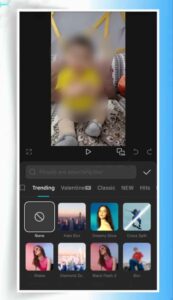
I scroll down a little, and many of the effects are showing up automatically, guys, you can see. So, after that, if I tap on any effect, you can see that after two or three seconds, our effect is applied in the Capcut app. So, here we will discuss which settings need to be turned on so that our effects work properly. So, you can go back once. Now that we are back, I will open it again. So, after opening it, you will find the “Me” option at the bottom. Click on it. Then, at the top, you will find the “Settings” option. Click on it. At the bottom, you will find the “Professional Creator Mode”. You can turn it on here if you want, or you can turn it off. If you believe me, I did not turn it on, and you will see how well all our app animations worked. If you are facing the “No Internet” issue, then here
Capcut Apk for android overview
Turn it on. After that, you need to turn on one more setting, which is the most important setting. If you don’t turn it on, then your problem won’t be solved. And if your problem is solved, then like the blog post and share the post, because creating a blog takes a lot of effort. And yes, if the problem is not solved, go back to like the blog and turn on the settings. After taking a backup, simply open your device’s settings. Once the settings are opened, you will find a search option. Here search for “Private DNS”. After searching, the “Private DNS” setting will appear. Click on it, and in the middle, you will see the “Automatic” option. Once you select it, your problem will be solved. So, let us know in the comments whether the post helped you, and if it helped you even a little, then please like the blog post and share the blog post so, we can see you again with a new blog. Until then, goodbye.
How to capcut apk download
If you want to download the CapCut APK, you can get the latest official version directly from Capcutpro.me website; alternatively, you can also download the latest version from the Play Store. These are two simple ways to download the CapCut APK for Android.







Cape cut
Happy
जिंक
Bb को स्फीडय
Dissidents
Udkdndidndidbfkfif
ಮಂಜುನಾಥ
Cap cut Pro 2026
Mahanta gouda
Siba Mazi and hii bipi
Cut ke Pro
Faisal sahito
Capcut Pro
Get get cash Dominion
Juxudhf