A thumbnail is such a valuable asset that, no matter how great your video is, if its thumbnail fails to grab attention forget about getting views. The thumbnail is the first impression that determines whether a viewer will click or simply keep scrolling. So, tell me what’s the real challenge when it comes to creating a thumbnail? It’s the ideation process how do you even come up with a concept? You might be wondering, “How do I actually create one?” Well, that’s exactly what I’m here to show you: how to craft an eye-catching, clickable thumbnail one so compelling that people won’t be able to resist clicking. Just watch this video until the end, and I’ll walk you through everything. I’ll even share some of my best thumbnail ideas and demonstrate the creation process. But first, keep these three key elements in mind. First: grab their attention. Viewers see a multitude of thumbnails on the YouTube homepage; if yours manages to catch their eye, you’ve cleared the first hurdle. Second: convey your message. Highlight the core concept. When viewers see your thumbnail, they try to figure out what the video is about often checking the title as well. If they can instantly grasp the topic, you’ve cleared the second hurdle. Third: spark curiosity. Now that the viewer understands the subject, if you can pique their interest making them think, “I absolutely have to watch this” then congratulations! You’ve created a fantastic thumbnail. That’s the process behind how people end up clicking on your thumbnail. Now, my friend, what exactly is this “curiosity gap”? But before we get to that, let’s look at how to capture a viewer’s attention try, for a moment, to step outside of your own perspective. And think from the viewers’ perspective: does the thumbnail you’ve created grab their attention? If it does, great but if not, you’ve already lost the game. No matter how good the video itself might be, viewers simply won’t click on it. Don’t worry, though I’m here to help. Let me show you how to capture their attention. Naturally, our eyes tend to land on the left side of a thumbnail first.
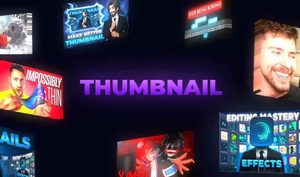
In the thumbnails of most major creators, the key elements are positioned on the left side. Therefore, place whatever you most want your audience to see on the left. [Music] By now, you should already be familiar with this: the “Rule of Thirds.” For those who don’t know it yet it’s quite simple. Divide your thumbnail canvas into a 3×3 grid essentially, draw four lines like this. Place your main subject at one of the intersection points of the grid. It’s not just me saying this; it’s a widely recognized principle. Why? Because the human eye naturally gravitates toward these intersection points first. That’s why everyone uses it if it works, put it to good use! Choosing a font is straightforward: opt for a simple, non-serif typeface that isn’t overly common. (Avoid using serif fonts, as they are typically reserved for posters or specific design layouts. My friend was completely lost he had no idea what to do.
So, he created a thumbnail using complementary colors. Let me explain. I advised him to choose one primary color, select its opposite as a complementary color, and then add three more: black, white, and gray. Now, your color palette is ready. Maintain this consistent style across all the thumbnails on your channel think of these colors as being “carved in stone.” This way, viewers will be able to recognize your thumbnails from a distance. Secondly, convey your concept communicate the core idea. Essentially, your thumbnail should give viewers an inkling of what is going to happen in the video. Finally, let me walk you through a few types of thumbnails so get ready! Try using comparisons: “before vs. after,” “budget vs. expensive,” or “Day 1 vs. Day 100.” Large-scale elements like big numbers almost always work; they instantly grab people’s attention. You could also highlight high costs for instance, by showing something very expensive which can drive direct clicks. You see, people today are so accustomed to seeing extreme or “intense” thumbnails that a simpler, more straightforward one can actually be a refreshing change. Your facial expressions can also communicate the underlying concept whether you look angry, sad, neutral, or confused. If you look at the thumbnail for my “Editing Mastery” video, you’ll notice that I’ve captured the core concept of the video quite effectively..
How to make thumbnails like a pro in mobile
I have presented it in a way that makes it easy for people to understand what is about to happen. Thirdly, create curiosity this is crucial. Without it, no one will click on your thumbnail. If your thumbnail doesn’t spark interest in watching the video, what’s the point? Let me explain what a “curiosity gap” is. For instance, why did the bald, sorrowful Kattappa kill Baahubali? That lingering question the urge to know why he did it is what we call a “curiosity gap.” Let me show you how to leverage this. Pose a question in your thumbnail and structure it in a way that compels viewers to click to find the answer. “What if the sun exploded tomorrow?” or “Why is VFX so expensive?” I’ve mentioned before how effective “big” elements can be for example, “Earned $100,000 by following the ‘Seven Principles’ to make a million.” It’s nearly impossible for someone not to click after seeing that. If you’re running a new channel and need views, featuring a prominent creator in your thumbnail can do the trick. Of course, the video itself must actually be about them; otherwise, viewers will leave, and you’ll be labeled as a “clickbaiter.” Many people have seen significant growth by using this thumbnail strategy.
Engage people. At the same time, surprise them. YouTubers like K-Crate, Nishu, and Mystery Beast do this. This approach isn’t limited to just one niche; it can be applied across various niches as well. And what about the ‘header’? It’s used in most thumbnails I even use it quite often myself. One thing to keep in mind is that a thumbnail is often created by combining several different ideas. Take this thumbnail from Tech Burner, for example. It’s simple: it features PUBG, which taps into the concept of ‘social hacking’ after all, you’ve likely played PUBG at some point, haven’t you? That’s the essence of the thumbnail. Consider my own thumbnail, for instance it also incorporates a header.